
FAQ



Why do I need to register the machine's serial number in the app?


If you own multiple roasters, registering the serial numbers allows for better control and management of each unit within the app.
Can I share roasting profiles with others?
Yes, you can share data and profiles via messaging APPs or other communication platforms.
How can I order the Orbiter Roaster?
You can place an order by filling out the form on the official Orbiter website, and we will assist you. Alternatively, you can schedule a visit to any of our showrooms to experience the product and inform our staff of your needs. If you have any questions, feel free to contact us at info@orbiter.coffee .
How do I apply for product warranty?
Please complete the registration within 7 days after receiving the product, including the date of purchase, product serial number, and a valid dealer's stamp. Make sure the dealer’s official seal is present.
What should I do if the machine requires repair?
Do not attempt to disassemble or repair the machine yourself. Please contact us, and we will assign a professional to handle the repair.
Are there any charges for repair services?
The product comes with a one-year warranty. Please note that if the damage is caused by improper use or human factors, repair fees may apply even within the warranty period.

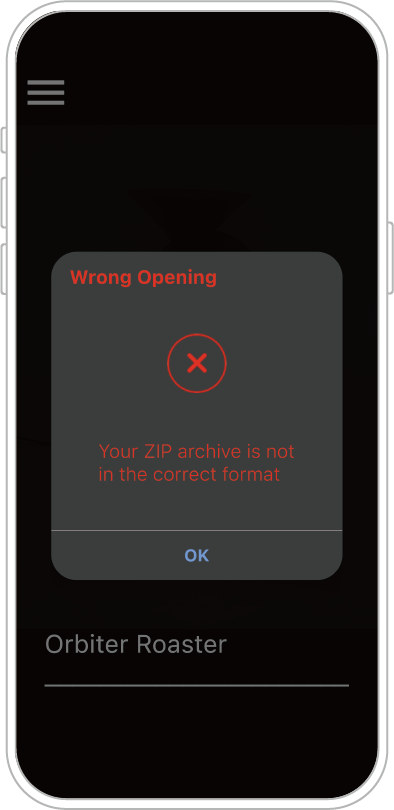
OB-1 Pro APP – What should I do if the compressed file cannot be opened?
If the screen displays the following message, please check the original file name for any disallowed special characters, such as: \ / : * ? " > < | If any disallowed special characters are present, please rename the file and re-compress the roasting file to resolve the error.
Error Code 0005/0109
Bean Inlet Door (Photo Sensor) Error
Symptom:
The bean inlet door cannot close automatically.
(The system cannot detect the bean inlet door, causing it to open and close repeatedly.)
Possible Cause:
Coffee dust or chaff is blocking the photo sensor.
Solution:
Use a soft brush or an air blower to clean the photo sensor.
You may also try loosening the small funnel slightly.
If the door still cannot close, please contact service for repair.
Error Code 0009
Synchronization Error
Symptom:
The bean inlet door opens automatically before the bean-charging temperature is reached.
Possible Cause:
The bean inlet sensor is damaged.
Solution:
Please contact service for repair.